Track your net worth, privately.

Know where you stand, every month. Enter your balances once a month and Fyrgo shows you the whole picture: cash, investments, property and loans.

Every past month is free, and so are this month and the next two. No account, and your data stays on your device.

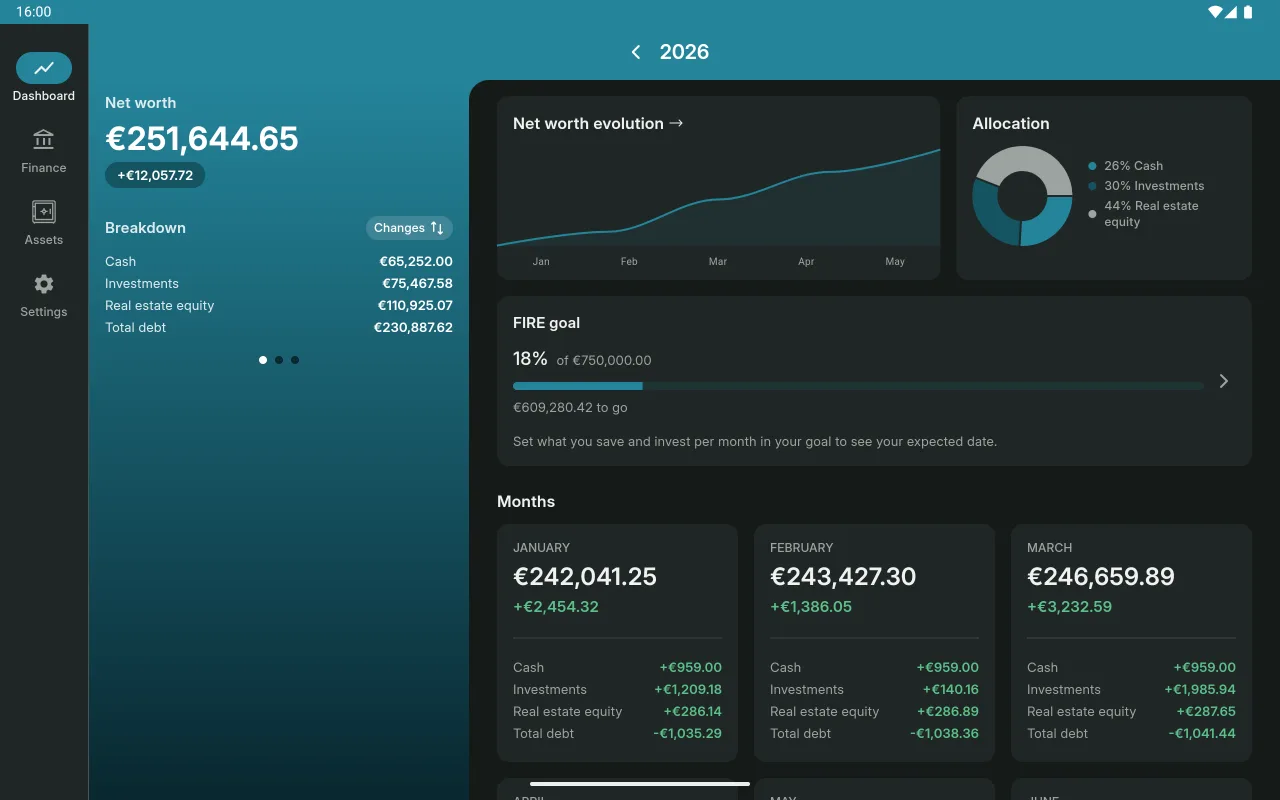
Fyrgo on a tablet: net worth beside its charts, the FIRE goal and every month of the year
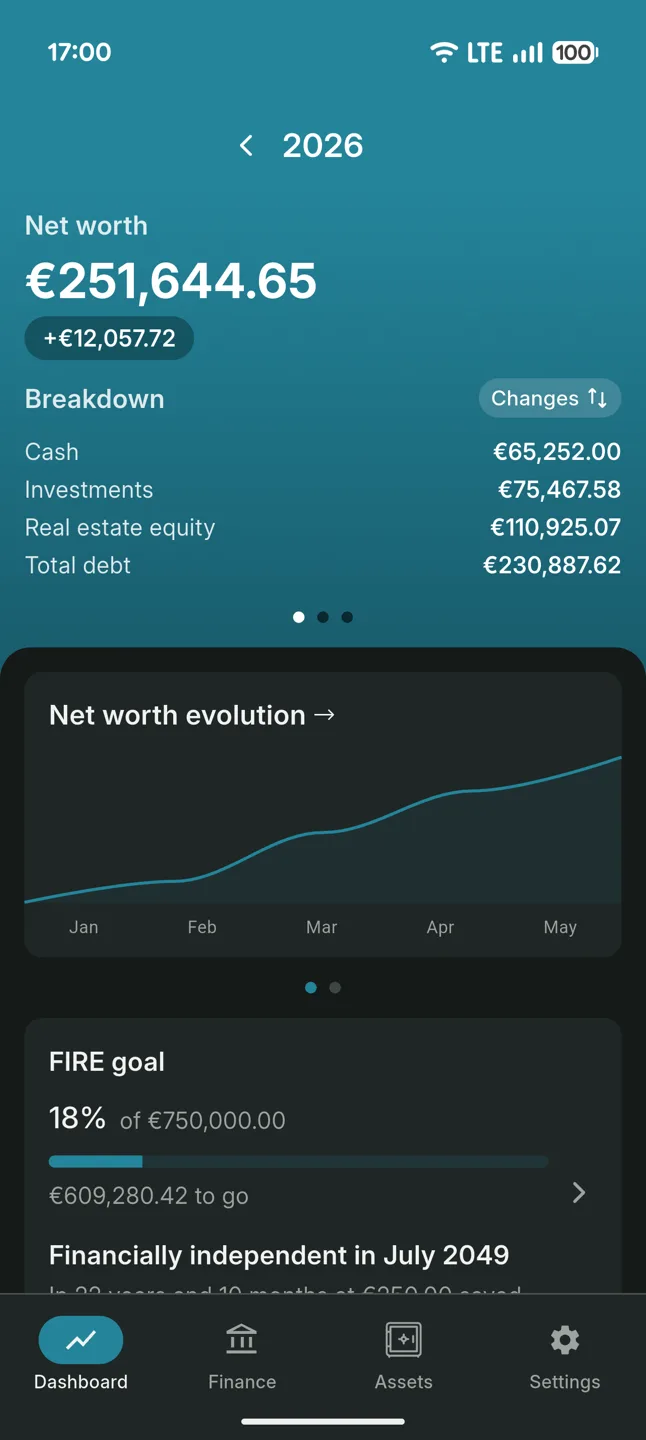
Fyrgo dashboard showing net worth broken down into cash, investments, property and debt

OptionalFree

Your phone and tablet, always in sync

Turn on automatic backup and Fyrgo keeps an encrypted copy of your data in a cloud folder of your own, like iCloud Drive or Google Drive, and updates it after every change. Pick that same backup on a second phone or tablet, and both stay in sync.

  • Works between iPhone, iPad and Android
  • No Fyrgo account and no Fyrgo server: your own cloud is the only place your data goes
  • Encrypted, with an extra password of your own if you like
  • Optional and free: leave it off and your data stays on your device only
A phone and a tablet that both sync with the same backup in your own cloud
Sync with your own cloud folder

Premium

Bring your spreadsheet history along

Kept your net worth in a spreadsheet before? Save it as CSV and Fyrgo fills in those months for you, so your charts start where your history starts, not on the day you installed the app.

  • Works with a CSV from Excel, Numbers or Google Sheets
  • Each column becomes an account or investment, or joins one you already have
  • Months you already filled in stay as they are, unless you choose to overwrite them
  • The other way round works too: export your months as a CSV to open in Excel or Google Sheets, for free
Your spreadsheet, filled in as months

Questions about sync or importing? The FAQ explains how they work.

Everything stays on your device

Your data is stored on-device, and every calculation runs there too. Nothing to sign up for, no analytics on your money, no ads. A backup only goes to your own cloud, and only if you want one.

Track your net worth and discover what you accumulate monthly

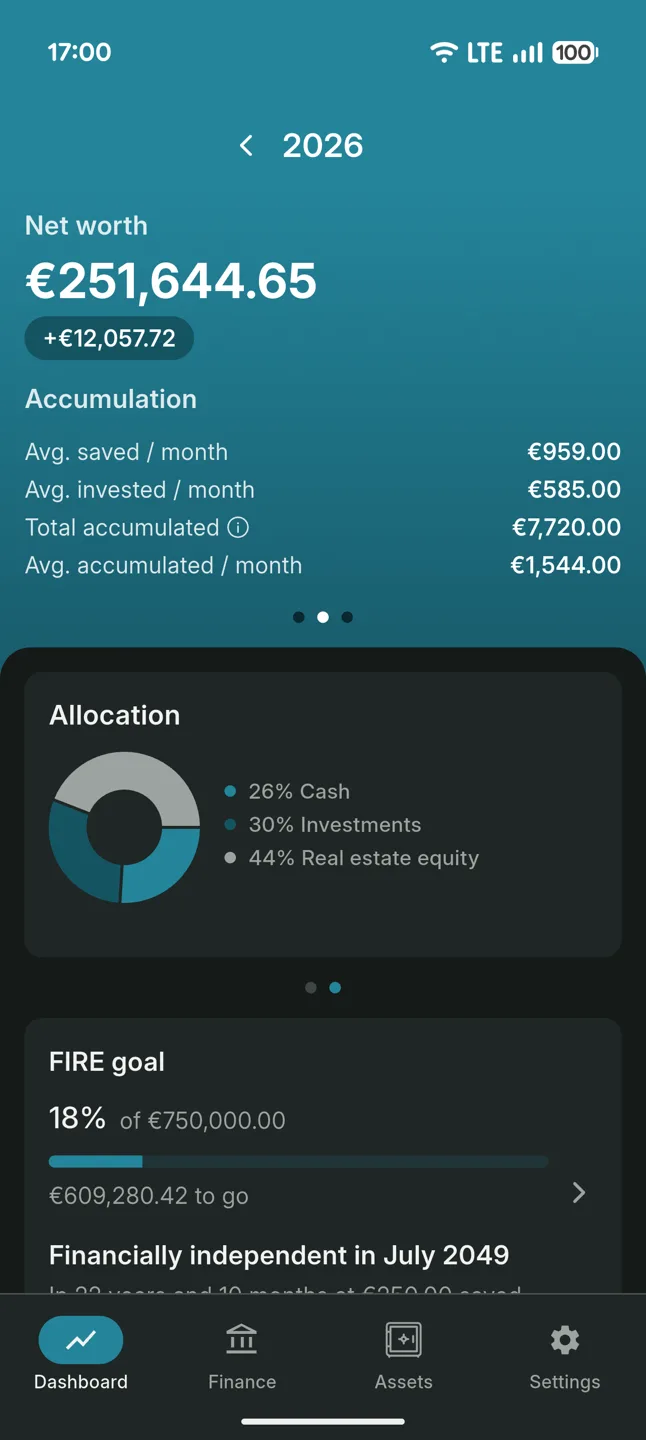
Everything adds up to a single figure, and every month shows what went up, what went down, and by how much. Swipe to see your averages and how the total is split.

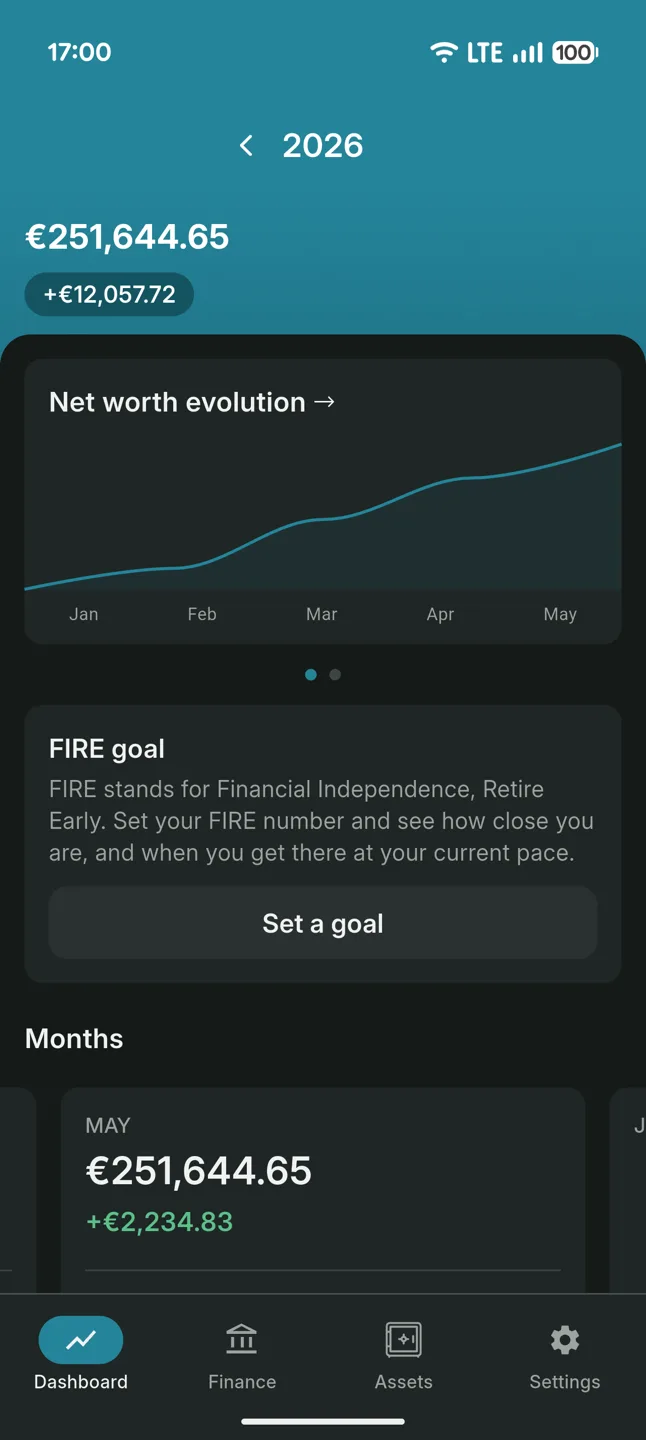
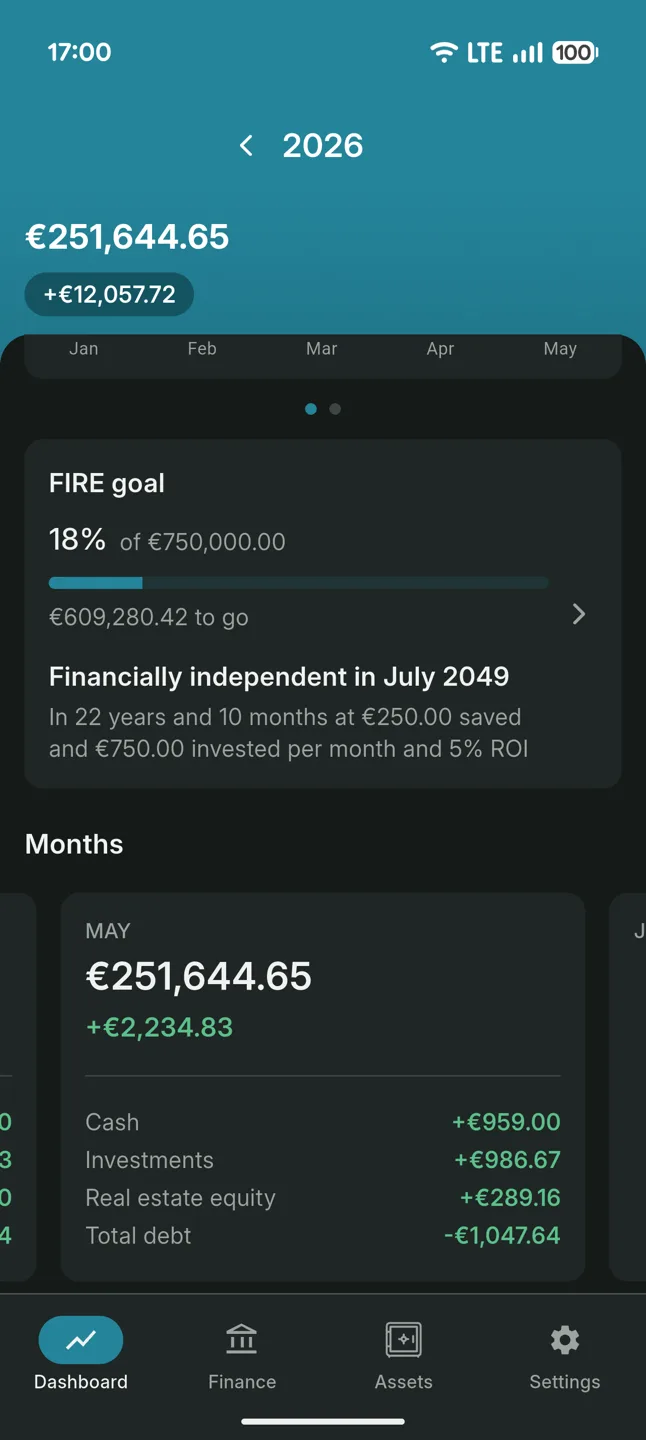
Fyrgo dashboard with FIRE goal progress and the monthly overview
Dashboard showing monthly averages and how the total is allocated

Set your FIRE goal and see when you get there

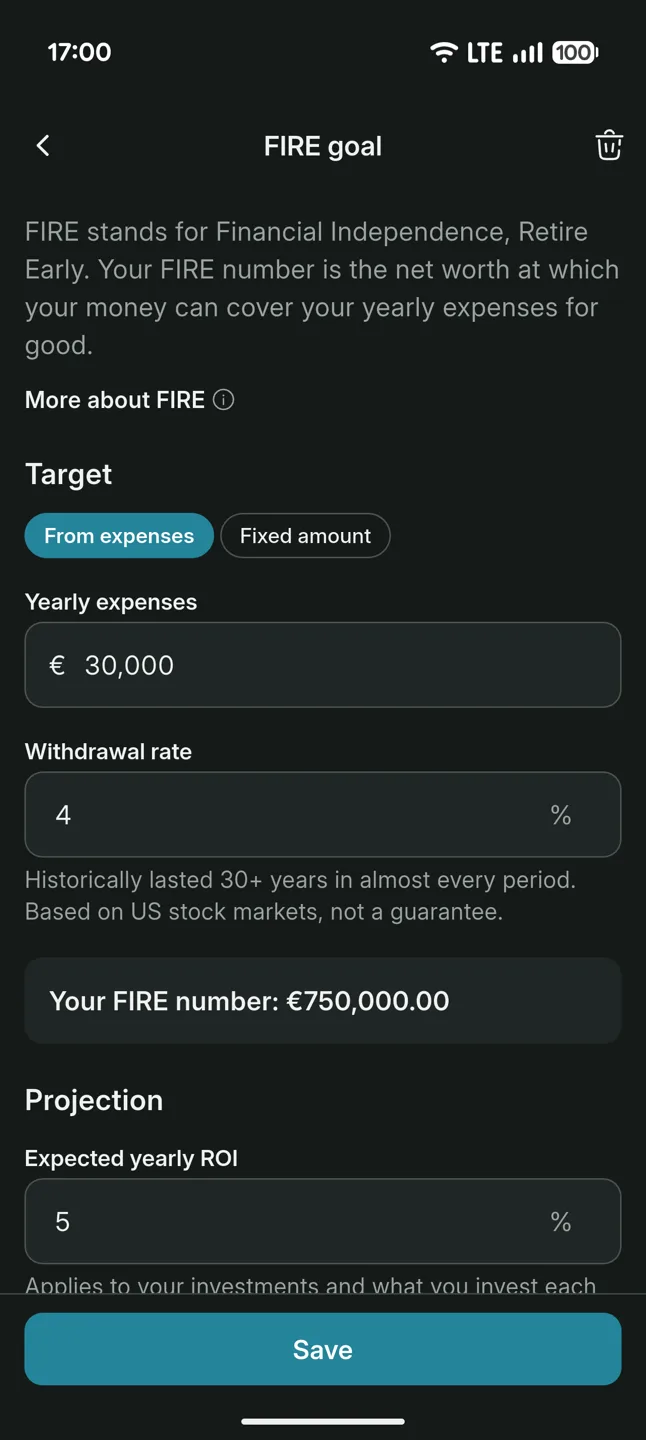
FIRE stands for Financial Independence, Retire Early. Base your FIRE number on your yearly expenses and a withdrawal rate, or pick an amount yourself. Fyrgo shows how close you are and, from what you set aside each month, when you could get there. Once you do, the card tells you since when you've been financially independent.

Dashboard card that explains FIRE and invites you to set a goal
FIRE goal screen with yearly expenses, withdrawal rate and the resulting FIRE number

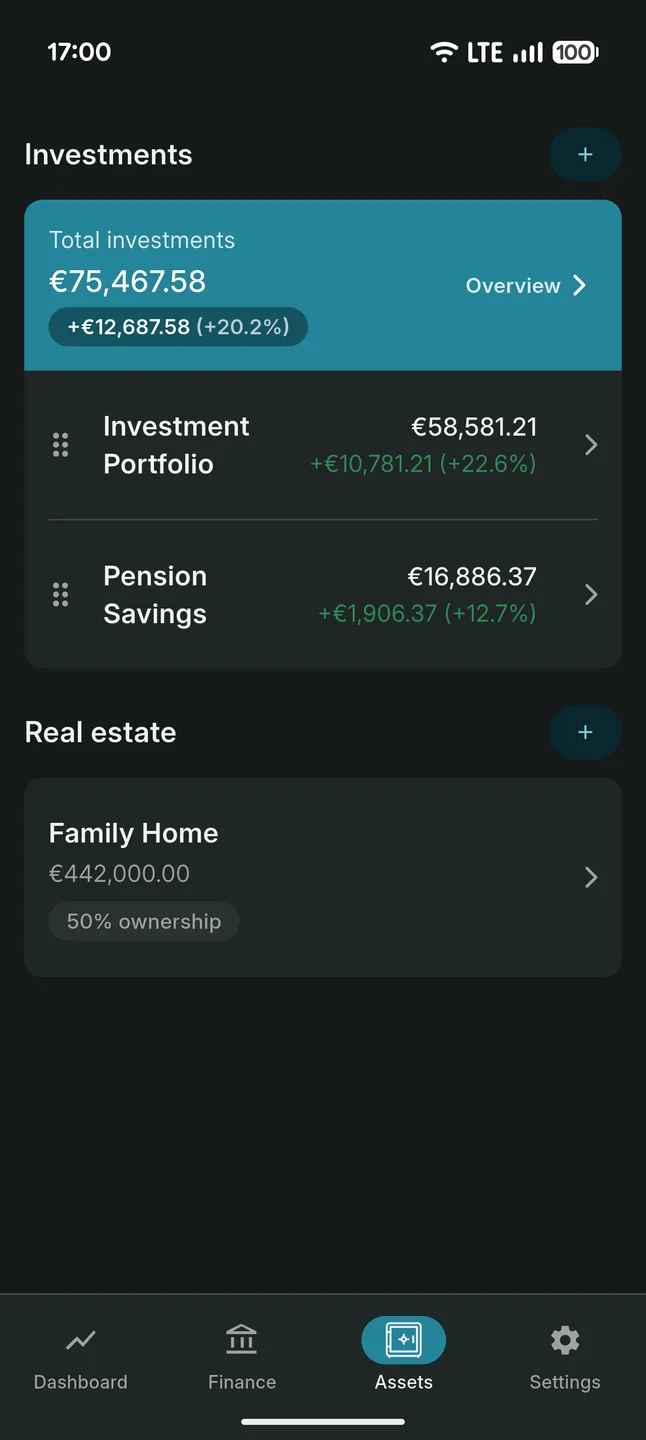
Accounts, investments, property and loans

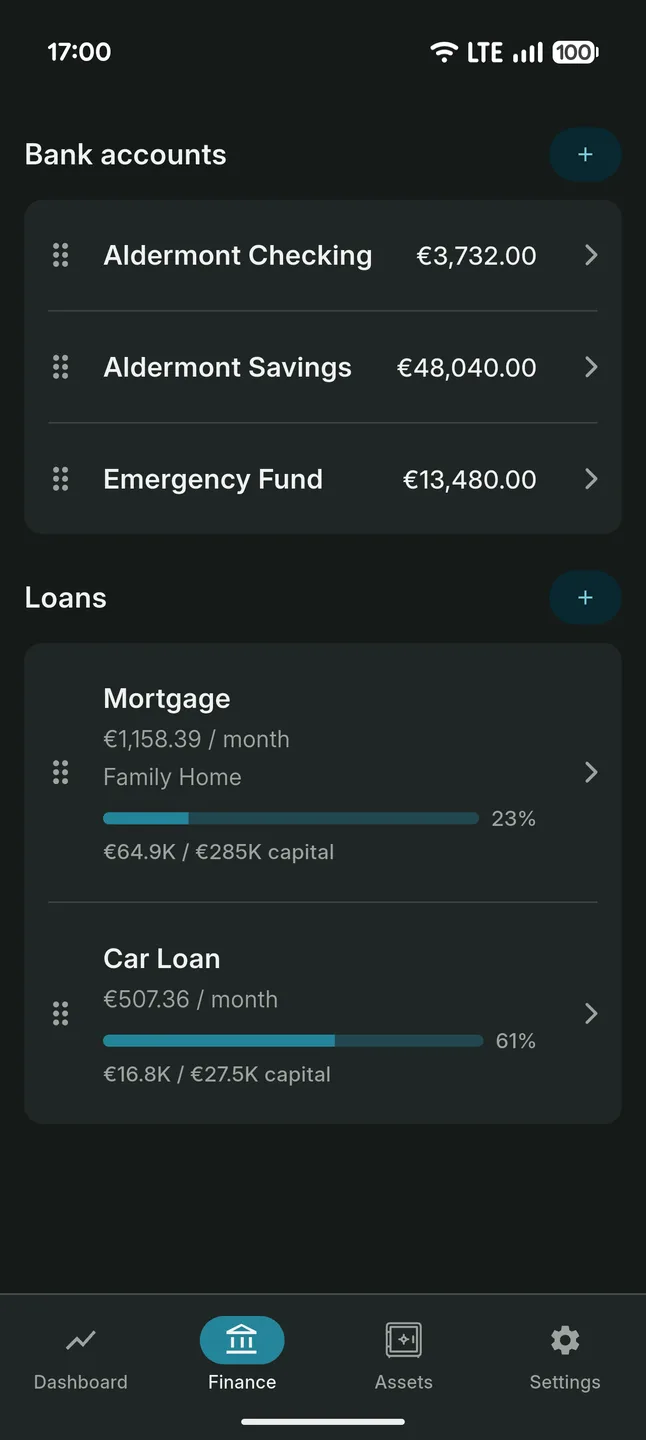
Add all your bank accounts, investment portfolios, real estate and loans, so you can enter their monthly values and see your financial statistics.

Bank accounts and loans
Investments and real estate

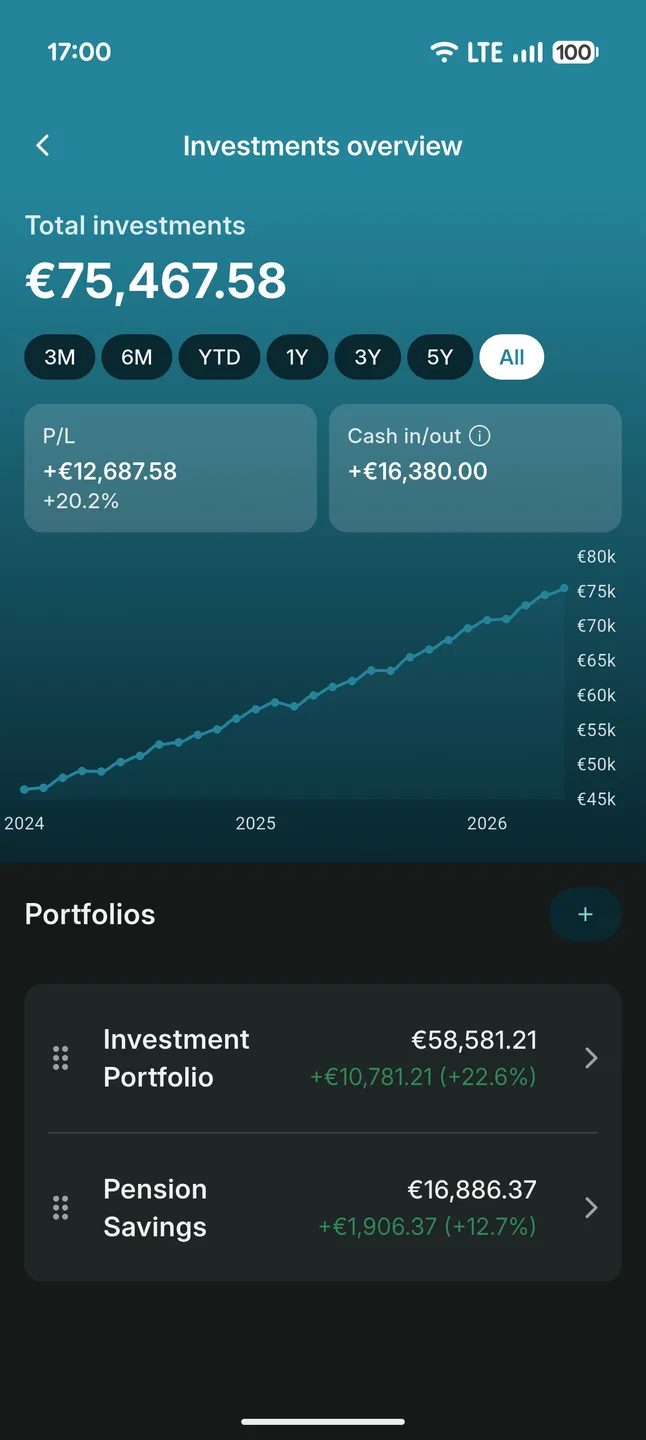
See how your investments perform

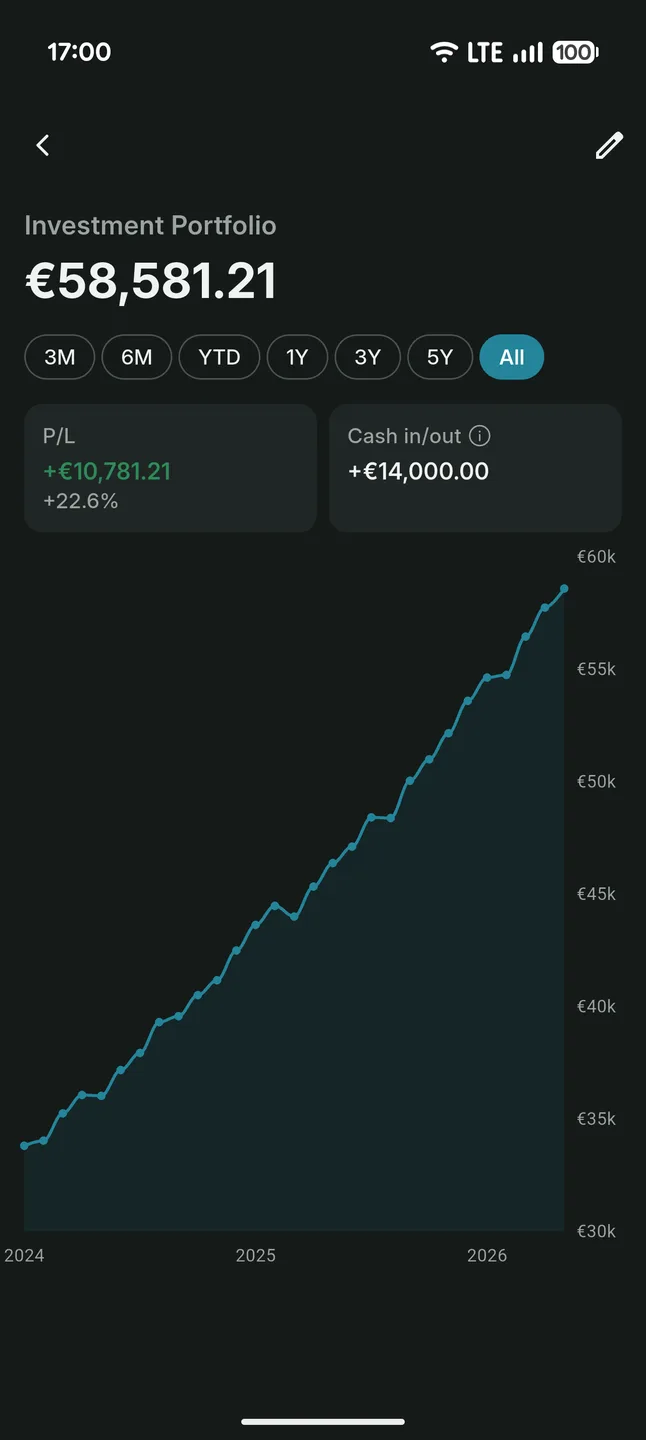
Follow your portfolios together and one by one. Pick a time frame and Fyrgo shows what they are worth, what they gained or lost, and how much money you moved in and out.

Investments overview with profit and loss over the selected time frame
A single portfolio with its value and profit over time

Don't track every coffee

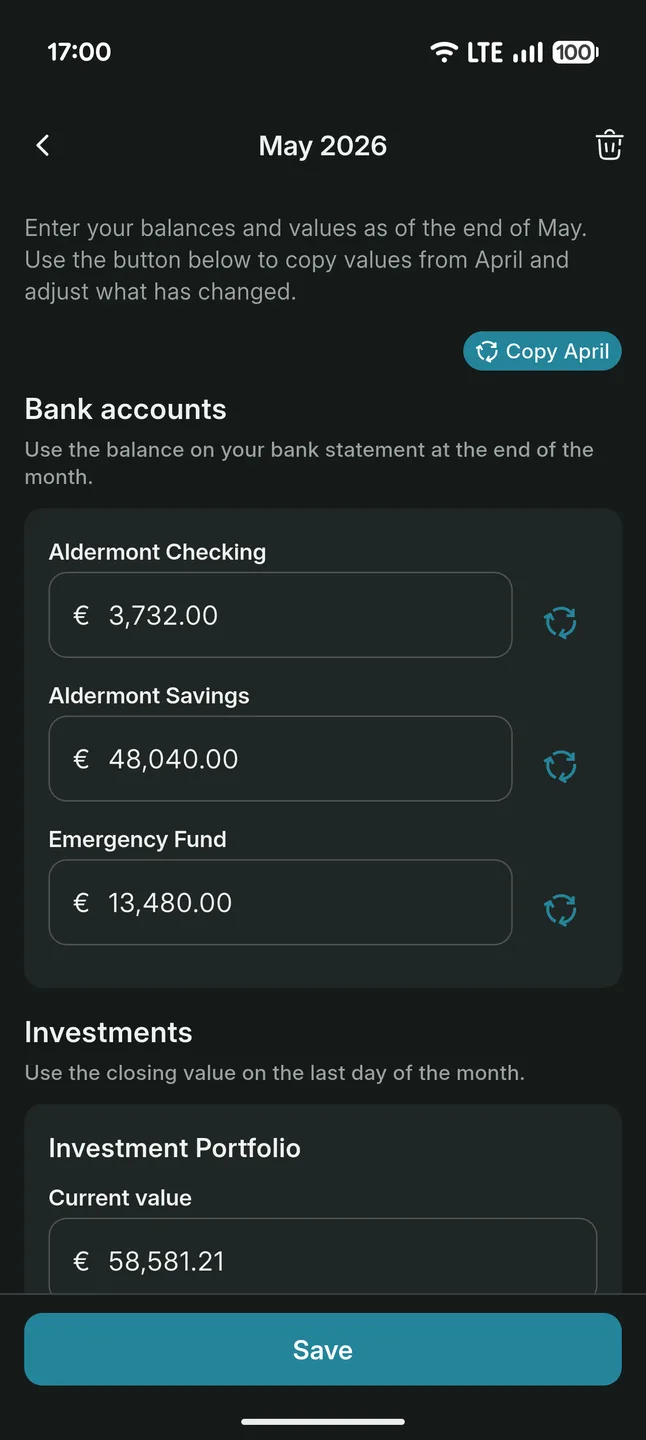
Fill in your balances once a month, in about five minutes. Copy last month and change only what actually moved. Anything you don't touch carries over, and a reminder can nudge you when it's time to fill in a new month.

Monthly entry screen with a button to copy last month's values

Automatically track your loans

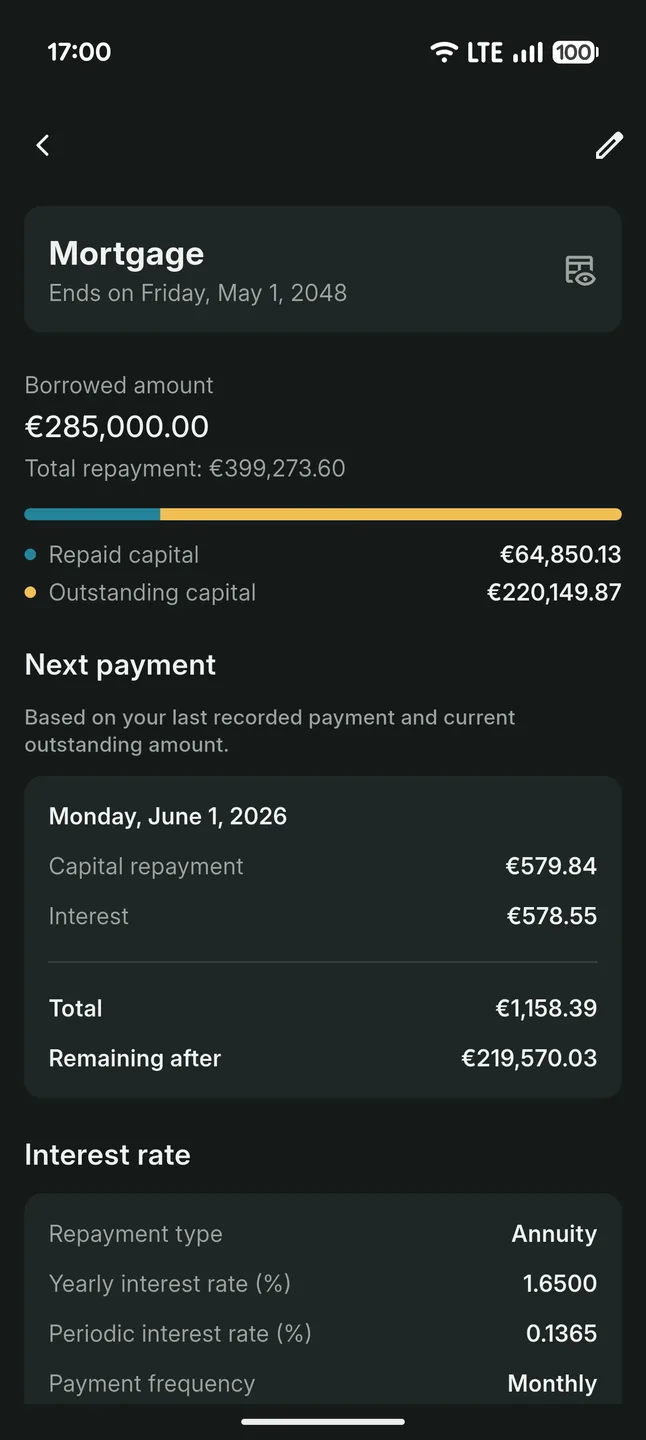
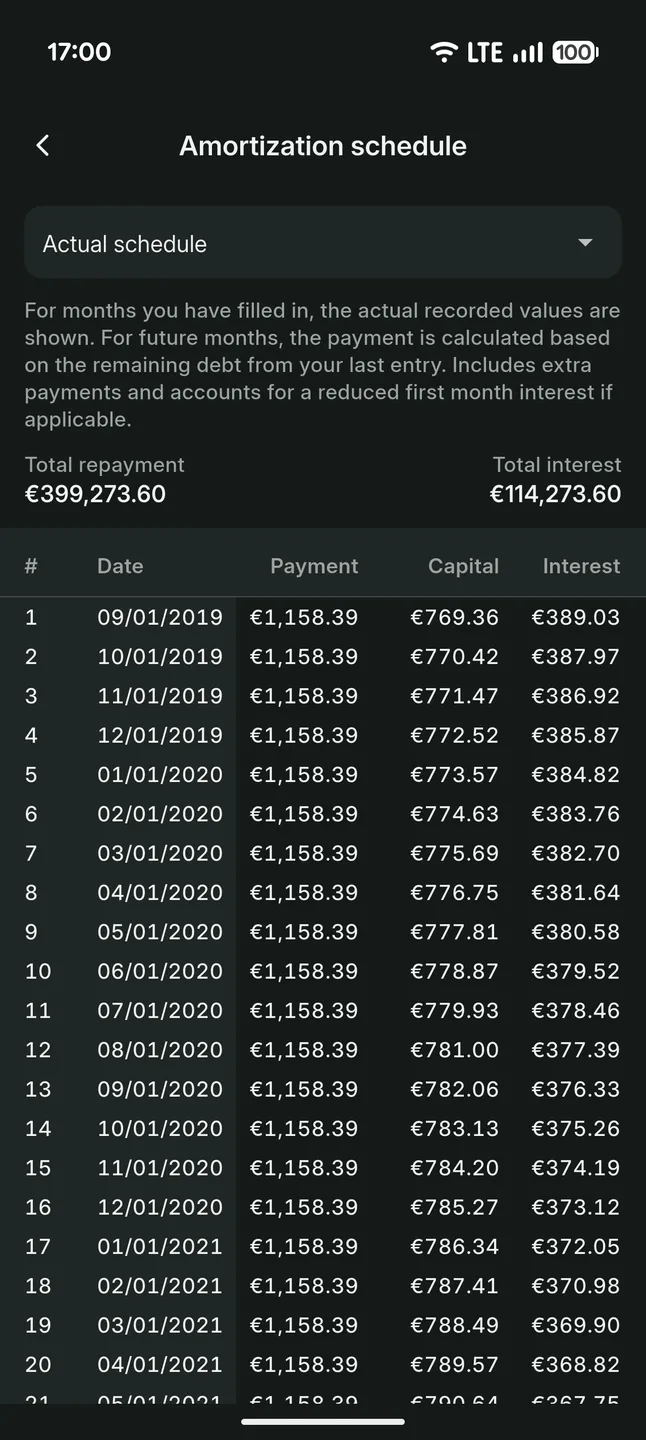
Enter your loan details once and the app automatically calculates and pre-fills the values in your monthly entries. It also gives you a clear overview of your pay-off progress.

Mortgage detail with repayment progress
Loan amortisation schedule

Charts to view your financial evolution

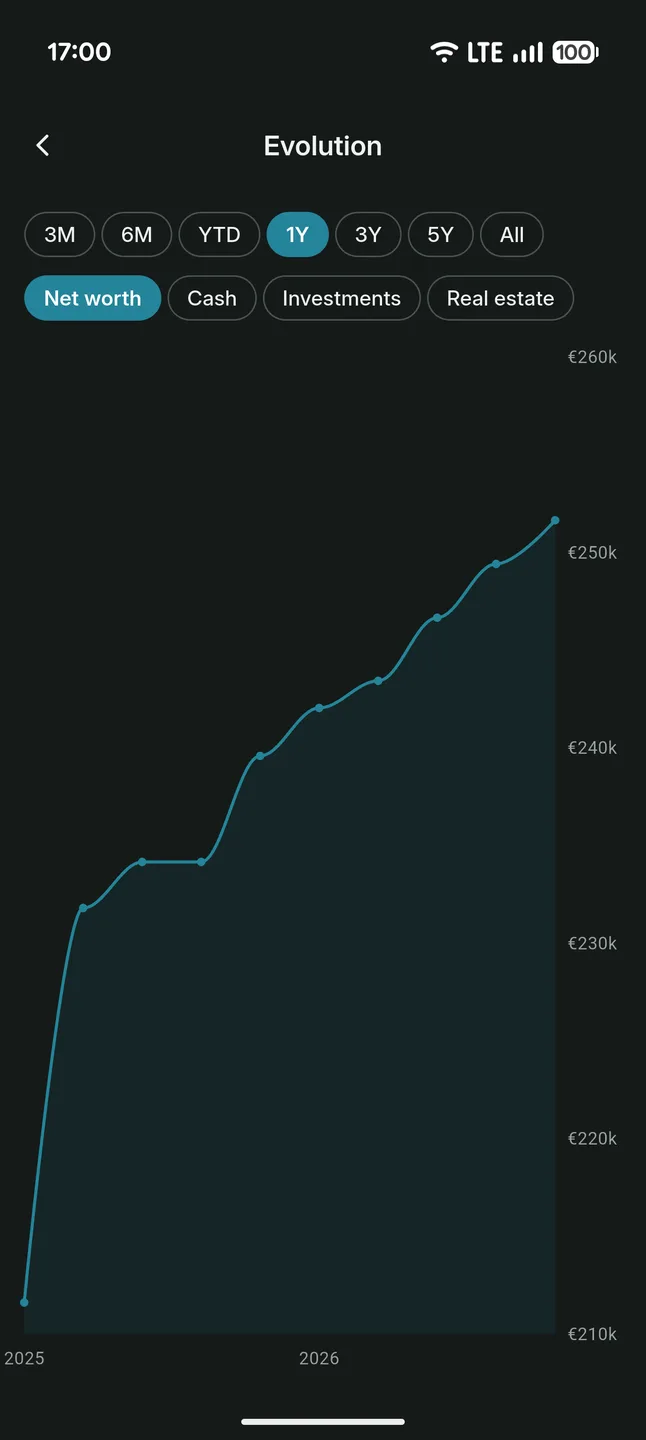
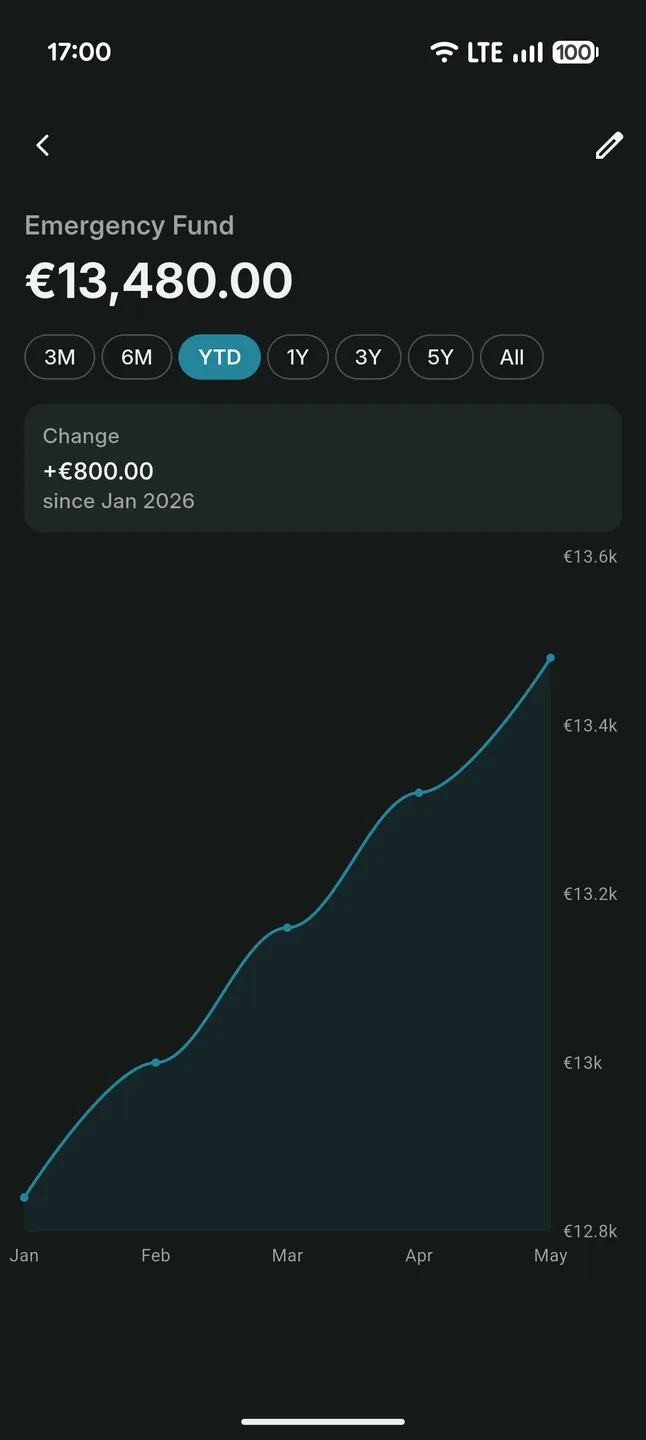
Look at any period, from the last three months to your whole history, and filter down to cash, investments or property. Every account and portfolio has a chart of its own too.

Net worth evolution chart
A savings account with its balance over time

Pricing

There's one subscription and it covers everything the app does. Every past month is free to fill in, and so are this month and the next two, so you see your own numbers before you decide. Backup, sync and export are free too.

Monthly €2.99
Yearly €2.50 a month €29.99

Prices in euro, including VAT. The exact price depends on your country and is set by Apple and Google, so your App Store or Play Store listing shows the real amount before you subscribe. You subscribe and cancel through the store, not through Fyrgo.

Privacy

There's no server holding your finances, so there's nothing to sign up for and nothing that can be breached. The privacy policy explains exactly how that works.